
April Platform Updates: What's New in the OptSpot Hub
April Platform Updates: What's New in the OptSpot Hub
Big month inside the OptSpot Hub. Here’s what’s new.
2FA Security: Your Account Just Got Harder to Break Into
Two-Factor Authentication is back, and it’s better than before. When you log in, you’ll get a 6-digit code via text to verify it’s actually you. Codes expire after 5 minutes.
If you don’t have a phone number on file, you’ll be asked to add one the first time you log in.
Password breaches happen all the time. 2FA is the simplest way to make sure a stolen password can’t touch your account or your customers’ data.
This is opt-in right now. Talk to your account rep to turn it on.
Campaign Funnels & Categories: See Where Your Marketing Actually Lives
You can now tag every coupon and keyword with a funnel category:
- Onsite. Promotions happening at the wash.
- Offsite. Direct mail, events, partnerships.
- Digital. Text campaigns, email, social ads.
- Partner. Co-branded or referral campaigns.
This means you can see, at a glance, how your marketing breaks down by channel. No more wondering which campaigns are onsite vs. digital. It’s all organized in one place.
Unified Filtering: One Menu to Find Anything
There’s now a single “Filter & Sort” menu that works across both campaigns and keywords. Pick your funnel type and everything filters together.
Less clicking. Less searching. More time running your business.
Design Hours Tracker: Know Exactly Where You Stand
Your allocated design hours now show up right inside the Hub. Monthly allotment. Hours used. All in one view.
No more guessing whether you’ve got room for another design request this month. You can see it in real time and plan accordingly.
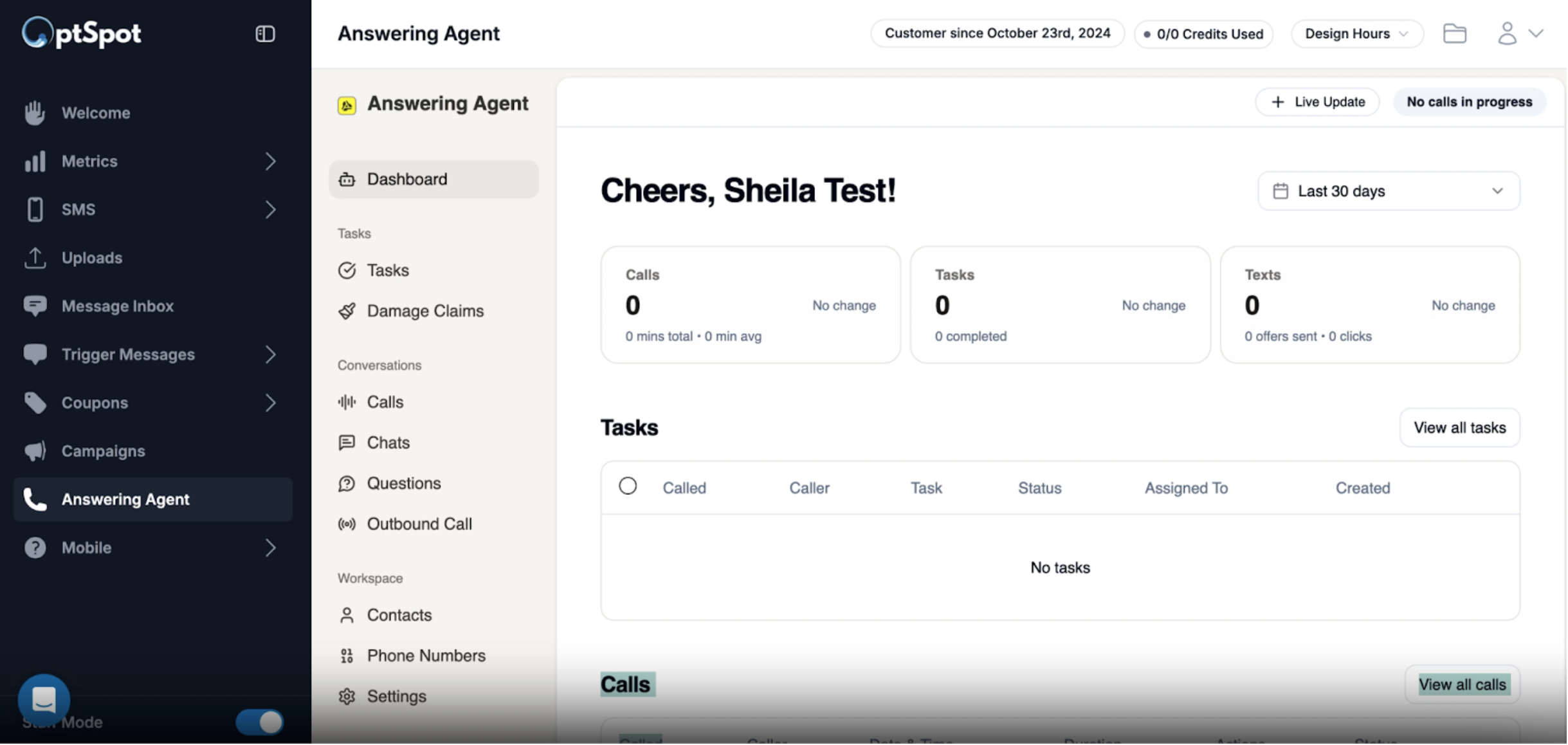
Answering Agent: Now Inside the Hub

Answering Agent used to live on a separate platform. Not anymore. It’s now accessible from a new link in the sidebar that opens the admin dashboard right inside the Hub.
One login. One place. Everything together.
Talk to your account rep to get this turned on. Want to learn more about what Answering Agent can do? Visit answeringagent.com.
Log in to the OptSpot Hub to see all of these updates live.
Got a feature you want to see? Reply to this email or tell your account manager. We read every request.